Solving Spark error: “TaskMemoryManager: Failed to allocate a page"

Error

This error occurs endlessly during PySpark code running.

TaskMemoryManager: Failed to allocate a page.

Solution

I added one spark config in SparkSession that solved my problem.
Set autoBroadcastJoinThreshold to -1.

“spark.sql.autoBroadcastJoinThreshold": ‘-1’

Code example

spark = (
    SparkSession
    .builder.appName('my_spark')
    .config("spark.sql.autoBroadcastJoinThreshold", '-1')
    .getOrCreate()
)

Solving Spark error: “Decompression error: Version not supported" on GCP Dataproc

My gcloud command on terminal to create cluster

sudo gcloud dataproc clusters create my-project \
    --bucket my-bucket \
    --project my-gcp-project \
    --region asia-east1 \
    --zone asia-east1-b \
    --image-version=2.0-ubuntu18 \
    --master-machine-type n1-highmem-8 \
    --master-boot-disk-size 30 \
    --worker-machine-type n1-highmem-8 \
    --worker-boot-disk-size 100 \
    --num-workers 6 \
    --metadata='PIP_PACKAGES=xxhash' \
    --optional-components=JUPYTER \
    --initialization-actions gs://goog-dataproc-initialization-actions-asia-east1/python/pip-install.sh
    --subnet=default


Error

This error occurs during specific PySpark code running.

java.io.IOException: Decompression error: Version not supported

Solution

Change image-version from 2.0-ubuntu18 to 2.1-ubuntu20 can solve this version not supported error.

--image-version=2.1-ubuntu20 \

解決 git pull 錯誤:Need to specify how to reconcile divergent branches.

  1. 問題發生原因
    1. git push 時的錯誤
    2. git pull 時的錯誤
  2. 查看 git status
  3. 解決方法 Solution
    1. 執行 git config pull.rebase false 並再次 git pull
    2. 再次查看 git status
    3. 最後再執行一次 git push 即可成功
  4. 番外篇:關於 rebase

問題發生原因

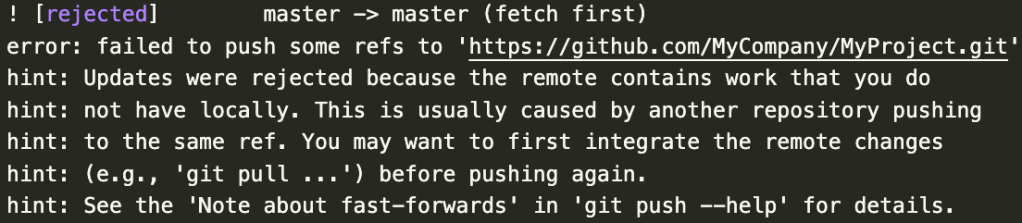
可能有其他人使用 branch 並 push 上去,master 版本比我的新,導致我 commit 後想要 push 時出錯

git push 時的錯誤

但想要 pull 時又發生另一個錯誤:Need to specify how to reconcile divergent branches.

git pull 時的錯誤

閱讀更多»

在 AWS Lambda 上使用 Python 第三方套件教學

本文紀錄如何在 AWS Lambda 上安裝並使用 Python 第三方套件,步驟包含在本機先建立套件的 zip 檔,以及新增 Layer 到 Lambda 函式上

Lambda 函式預設無法使用 Python 第三方套件

我在 AWS Lambda 撰寫好函式(或是使用 $ zip <dest_filename>.zip <py_file>.py 製作 python zip 檔後上傳函式),函式中有使用到 requests 這個套件,執行 Test 時會顯示 No module named 'requests',原因就是 AWS Lambda 預設是沒有 requests 這個套件的,需要另外上傳套件檔,以下是解決方法。

  1. 安裝所需套件至 python 資料夾
  2. 打包 python 套件資料夾為 zip 檔
  3. 建立新 Layer
  4. 將 Layer 新增至函式

前兩步驟是在本機完成,後兩步驟是在 AWS 上進行,接下來將詳細解說各步驟。

1. 安裝所需套件至 python 資料夾

AWS 官方文件說額外的套件必須使用 「python」 這個名稱的資料夾打包,所以要在專案資料夾內建立一個 python 資料夾,並將套件安裝到裡面,詳細 Terminal 指令如下:

$ mkdir python
$ cd python

# 安裝單一套件
$ pip install --target . requests

# 一次安裝多個套件
$ pip install --target . -r requirements.txt
閱讀更多»

解決 pip 安裝套件時的 error: command ‘gcc’ failed with exit status 1

Python 的開發過程會經常需要使用 pip 來安裝第三方的套件,但有些套件會跳出
error: command 'gcc' failed with exit status 1 這樣的錯誤。

以下是本人使用 MacOS 在安裝爬蟲的 grab 套件時的解決方法,但其他套件也都適用。

閱讀更多»