[ ClickHouse ] uniq 和 uniqExact 的比較

建議使用 uniq()

在 ClickHouse 中很常用又很相像的兩個 Aggregate Function: uniq()uniqExact()

其實 uniqExact(x) 就等同 COUNT(DISTINCT x),若是使用 COUNT(DISTINCT x) 會看到欄位名稱直接被轉成 uniqExact(x)

官方也有提醒:「除非一定要最精確的數字,否則建議使用 uniq」,因為 uniq 可以最佳化 memory 的使用。


以下是官方文件的描述:

uniq(x [, …])

Calculates the approximate number of different values of the argument.
計算輸入參數的不重複的大約數量。

參數可以是

  • Tuple
  • Array
  • Date
  • DateTime
  • String
  • numeric types.

Returned value


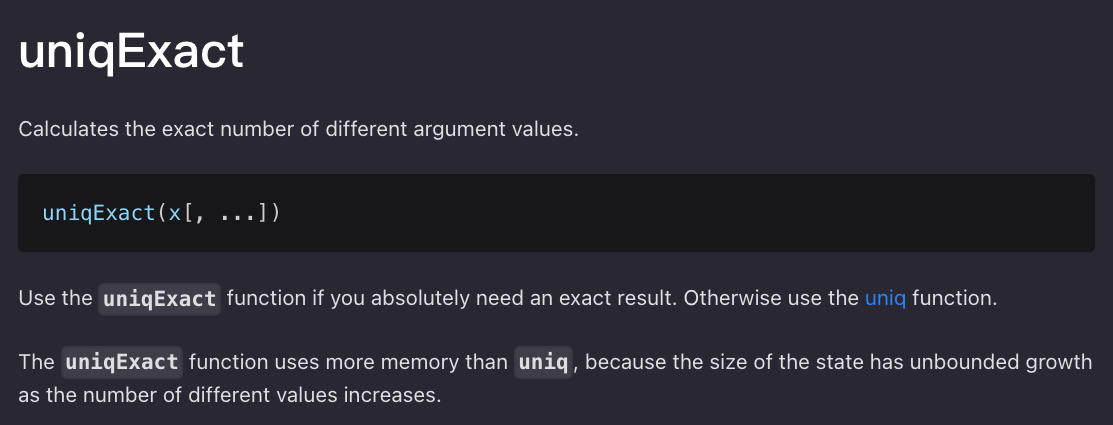
uniqExact(x [, …])

Calculates the exact number of different argument values.
計算輸入參數的不重複的精確數量。

可接受的參數和回傳的值跟 uniq 是一樣的。


參考資料


歡迎追蹤我的 IG 和 Facebook

Kaggle 發布最新的 Kaggle Models 讓模型的使用變得更方便

Introducing Kaggle Models

Kaggle has released a newest addition: Kaggle Models.

Kaggle Models is where we can discover and use pretrained models and is collaborated with TensorFlow Hub (tfhub.dev) to make a curated set of nearly 2,000 public Google, DeepMind and other models.

Models has a new entry in the left navigation alongside Datasets and Code.

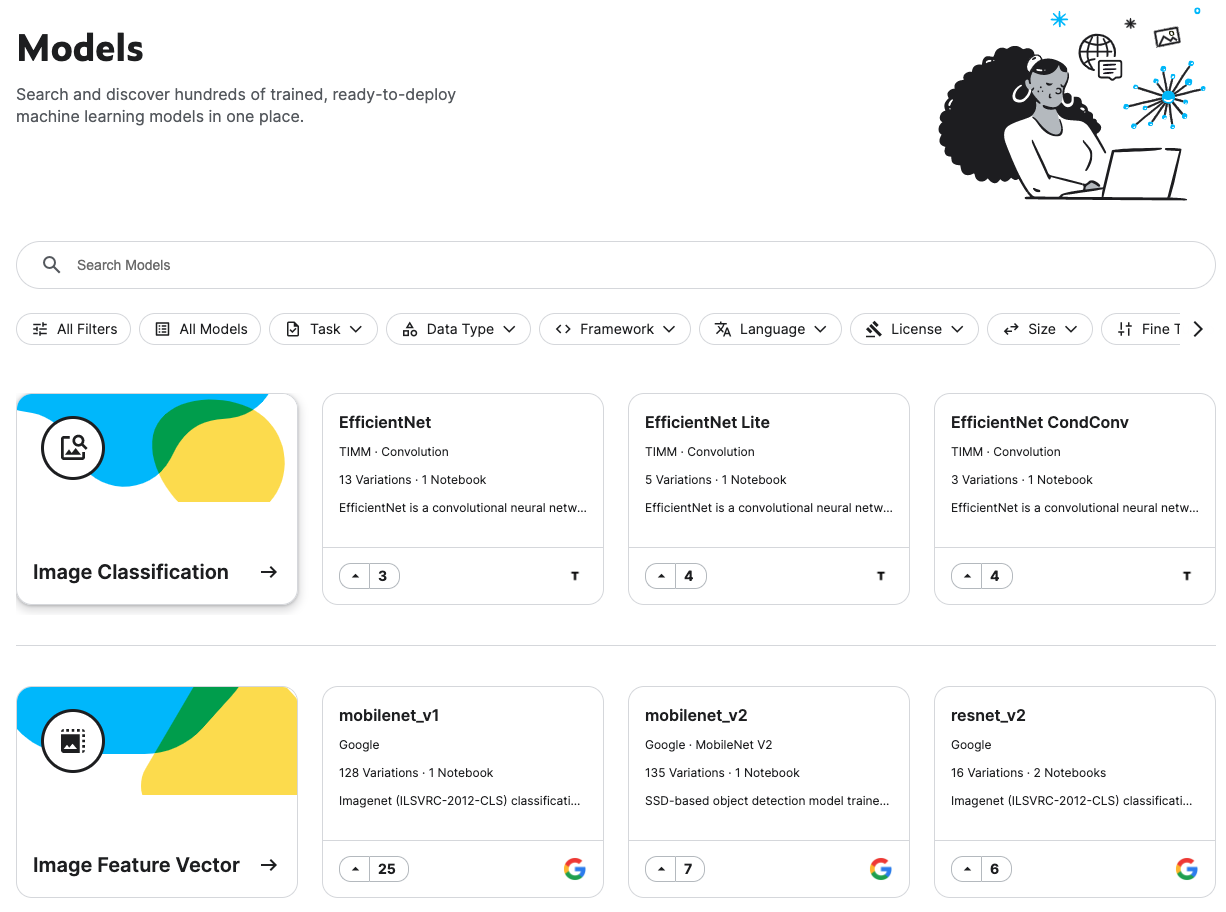
In the Model page, it is organized by the machine learning task they perform (e.g., image classification, Object Detection or Text Classification), but can also apply filters for things like language, license or framework.

Using Models

To Use the models, we can either click “New Notebook” from the model page or use the “Add Model” UI in the notebook editor (similar to datasets).


Kaggle 新功能 Kaggle Models

Kaggle 最近發佈了最新的功能:Kaggle Models!

Kaggle Models 是 Kaggle 跟 TensorFlow Hub 合作,整合了將近 2,000 個 Google、DeepMind 等等的預訓練模型。

現在只要在 Kaggle 左側欄中,就可以看到多了 Models 這個選項(在 Datasets 和 Code 的中間),裡面預設是按照不同的機器學習用途 (Task) 來分類(像是 Image Classification、Object Detection, Text Classification),但也可以用過濾器篩選,像是語言、框架或 Licence。

Kaggle 左側欄中,就可以看到多了 Models 這個選項

Kaggle Models 的使用方法

如果想要使用這些模型,可以從 Models 頁面上點擊 “New Notebook”,或者點擊 notebook editor 中的 “Add Model”(跟使用資料集時差不多)。

裡面預設是按照不同的機器學習用途 (Task) 來分類

參考資料


歡迎追蹤我的 IG 和 Facebook

Solving Spark error: “detected implicit cartesian product for FULL OUTER join between logical plans"

Error

I encountered an error when I want to outer join two dataframes using PySpark.

joined_df = (
    df1
    .join(df2), how='outer')
)

org.apache.spark.sql.AnalysisException:
detected implicit cartesian product for FULL OUTER join between logical plans

Solution

To enable crossJoin in SparkSession can solve this problem.

spark.sql.crossJoin.enabled: true

Code example

spark = (
    SparkSession
    .builder.appName('my_spark')
    .config("spark.sql.crossJoin.enabled", "true")
    .getOrCreate()
)

Solving Spark error: “Cannot broadcast the table that is larger than 8GB"

Error

Although I have already set crossJoin.enable to true and autoBroadcastJoinThreshold to -1, I still got an error.

spark = (
    SparkSession
    .builder.appName('my_spark')
    .config("spark.sql.crossJoin.enabled", "true")
    .config("spark.sql.autoBroadcastJoinThreshold", '-1')
    .getOrCreate()
)

java.util.concurrent.ExecutionException:
org.apache.spark.SparkException: Cannot broadcast the table that is larger than 8GB: 8 GB

This error is due to default PySpark broadcast size limit which is 8 GB.

Solution

There is no specific code or config we can set to solve this problem (at least I didn’t find one).

What we can do is to optimize our code.
Here are some of my ideas.

  • Use select(cols) or selectExpr(cols) to choose the columns we actually need before join to reduce the dataframe’s size.
  • Use filter(expr) to filter out what data we don’t need.
  • Use normal df1.join(df2) instead of using df1.join(broadcast(df2)).

I selected less columns of my dataframe (from 7 cols to 3 cols) to solve my problem.

Solving Spark error: “TaskMemoryManager: Failed to allocate a page"

Error

This error occurs endlessly during PySpark code running.

TaskMemoryManager: Failed to allocate a page.

Solution

I added one spark config in SparkSession that solved my problem.
Set autoBroadcastJoinThreshold to -1.

“spark.sql.autoBroadcastJoinThreshold": ‘-1’

Code example

spark = (
    SparkSession
    .builder.appName('my_spark')
    .config("spark.sql.autoBroadcastJoinThreshold", '-1')
    .getOrCreate()
)